



American Mahjong, taught patiently

Feel ready before you sit down at the table.

Mahjong Ready is a coach for American Mahjong on iPhone and iPad. Practice the choices new players freeze on: what to pass, which hand to aim for, when to call. It points to the exact tiles and tells you why, in plain English.

  • Free to start
  • iPhone and iPad
  • No account, no ads
  • Works offline
Try it: a Charleston pass

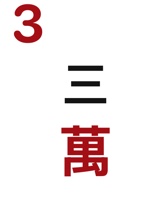
Tap three tiles to pass. Keep your pairs and groups. Let the loose tiles go.

Pass tray

Every lesson in the app works like this: one decision, then the reason. There is no timer.

How it works

One decision at a time, with the reason attached.

Lessons are short and built the same way: a question, your answer, then the reason. Nothing is timed, and there is no streak to protect.

You answer one small question.

A rack, a discard, a pass. Each lesson takes a few minutes and asks for the same call a real table would.

The coach points at the tiles.

Feedback names the group and outlines it on your rack, so you learn what to look for and not only whether you were right.

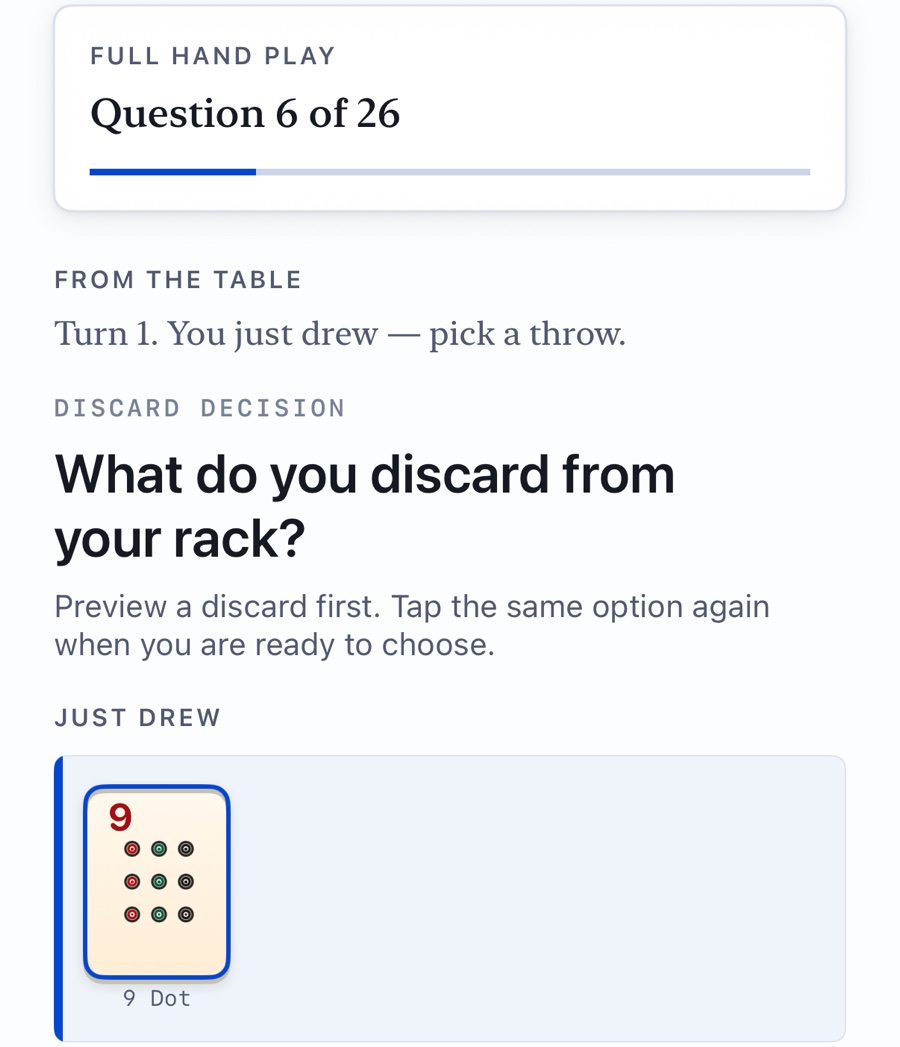
A turn in Full Hand Play: the tile you just drew and the question of what to discard.

Then you play a whole hand.

When the pieces are familiar, play complete hands against three bots. Each turn shows what you drew and how far you are from your hand. After you choose, the coach explains what it would have done.

Where it comes from

Shaped by years of teaching people to play.

Mahjong Ready was developed over years of teaching American Mahjong and introducing new players to the game. It is built around the places where beginners get stuck, in the order a patient teacher would take them.

  • Seeing groups. Telling a pair from a pung at a glance, before counting anything.
  • The Charleston. Knowing what to give away when you cannot see what is coming.
  • The card. Turning a line of numbers and letters into fourteen tiles.
  • The table. What to say out loud, and what a table expects of a new player.

The course path

Nine units, 42 short lessons.

You start by seeing groups in a rack and finish by playing a whole hand. Take the units in order, or open any practice module on its own.

  1. Tile EyeSee groups before you count.
  2. CallsKnow when the discard belongs to you.
  3. Choose a TargetPick the hand the rack is already asking for.
  4. JokersWhere a joker can sit, and where it can't.
  5. CharlestonPass away from the shape you are keeping.
  6. PivotStay when alive; switch when the rack says so.
  7. Read the TableUse discards to infer what others are keeping.
  8. Real ReplayReview decisions in context.
  9. Full HandPut the whole table together.
A built-in training card
Original hands in the families you will meet on any card: 2468, 13579, 369, like numbers, runs, winds and dragons, year hands, quints. Your own card will list different hands. The skills carry over.
A rules primer and a glossary
Five short pages on the tiles, the turn, the Charleston, the card, and table manners. Tap any underlined word in a lesson to see what it means.
Comfortable to use
Larger tiles, a simpler home screen, spoken labels on every tile for VoiceOver, and a Continue button that guards against accidental taps.
Private by design
No account, no ads, no analytics. Your progress stays on your device, and practice works without an internet connection.

Inside the app

What it looks like.

These are screens from the app as it ships. Tap one to see it larger.

Learn before you download

Free to read, free to print.

You do not need the app to start. These are yours either way.

Pricing

Start free. Pay once if you stay.

The download is free and so is the first stretch of the course. If you want the rest, choose a one-time purchase or a yearly plan.

$0

Enough to find out whether the app suits you.

  • The rules primer
  • All of unit 1, Tile Eye (every Chunking Reps lesson)
  • Today's rack, a new one each day
  • Your first full hand against the bots
Download free

$7.99 a year

The same full access, billed yearly.

  • Everything in full access
  • The training card's year hands update each spring
  • Cancel anytime in your Apple ID settings
Get the app

Prices are in U.S. dollars. The App Store shows the price in your own currency. Purchases are made inside the app with your Apple ID. Annual access renews automatically each year unless canceled at least 24 hours before the end of the current period.

Get Mahjong Ready.

Free to download. No account needed.

Download on the App Store